Compatible with Chrome and Edge
Instruction Guide
We have a simple tutorial guide which explains the features of the software extension and what each button inside the extension does. Read our tutorial and welcome guide on how to use the extension to the fullest. Use all the features of this browser software.
If you are interested in other web extensions to install, you might wish to check out the Microsoft Bing Search with Rewards extension.
Microsoft Bing Search with Rewards Extension
It allows you to complete daily offers to get points.
Track the number of points you have currently and the rewards you can redeem with these points.
The ways to get points & get rewarded is search with Bing, browse with Microsoft Edge and shop at the Microsoft and Windows stores to earn rewards.
Sponsored Link:
Other useful extensions
Another extension which would be useful to install is the iCloud bookmarks extension.
It allows to keep your Chrome bookmarks on Windows synced up with the Safari bookmarks on your iPhone, iPad, and Mac.
iCloud will store your website bookmarks so it is accessible even on your iPhone and Mac.
Try these other two extensions and see if it will boost your daily productivity.
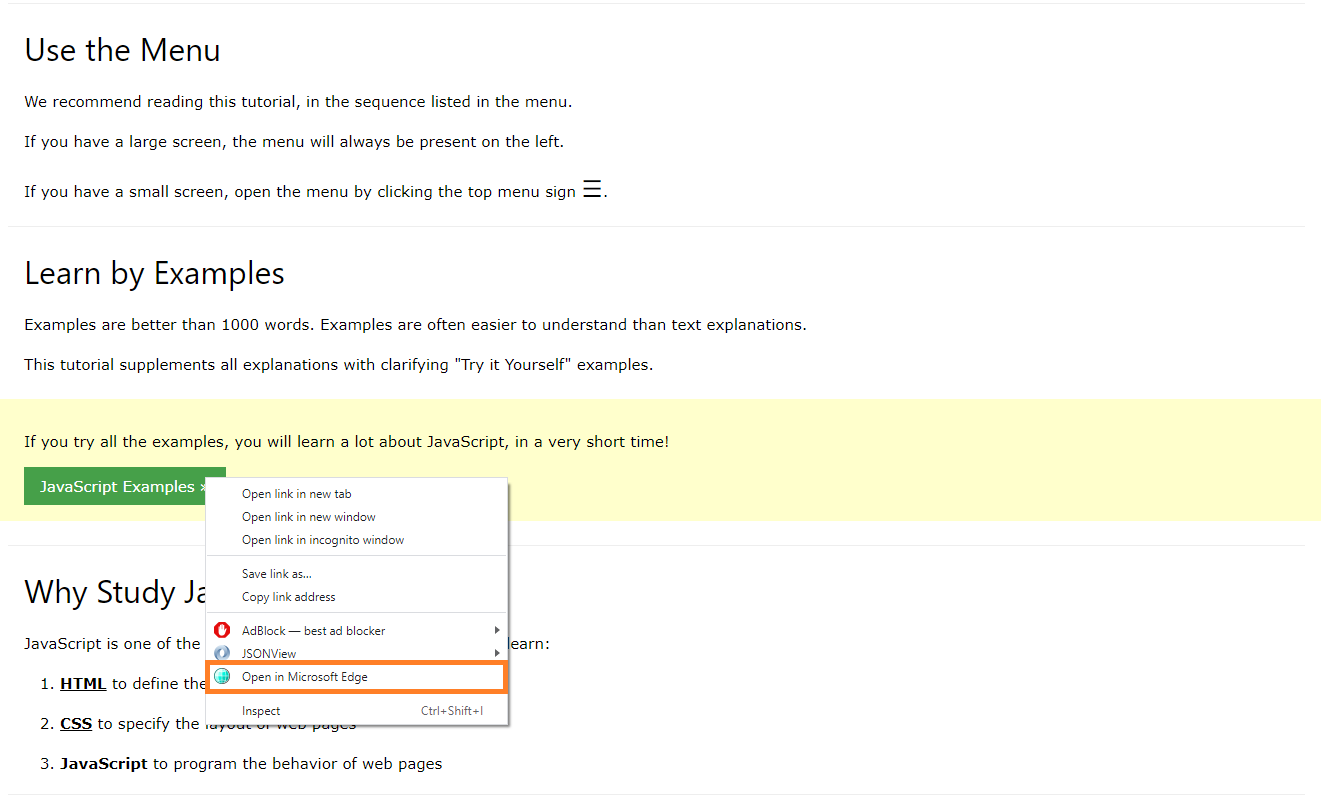
Open website links in Microsoft Edge after you install this extension.
Features:
In order for this extension to work on your computer, you first need to download and install the native client.
What is Microsoft Edge?
Microsoft Edge is a web browser developed by Microsoft. It was first released for Windows 10 and later for Android and iOS. The browser has support for the Blink layout engine, which was also used by Google Chrome and Opera, but dropped support in favor of its own EdgeHTML engine upon the release of Microsoft Edge 2.0
Microsoft Edge is designed to be fast, compatible, and secure, with a streamlined user interface that uses less memory than Internet Explorer 11 (IE11). This allows it to run on lower-end devices with as little as 1 GB RAM.
Using Bing Search Engine:
When you search for something on Bing Search Engine, you can access the chatGPT from OpenAI as Microsoft has a partnership with OpenAI. This allows you to do research quicker as ChatGPT helps you to summarize the search results and allows you to save time.
Benefits of Using ChatGPT:
ChatGPT helps you to do research and filter through the search results quicker. The Bing chatbot only works in Microsoft Edge, hence why more people are choosing to use the Bing search engine on Microsoft Edge versus using Google Chrome Browser.
Tutorial:
- Install the Extension
- After installing the extension, click on the icon on the toolbar.
Sponsored Link: